Four walls, one gate, your key.
The locked environment
Genesis Desktop fills the whole screen and stays there. Exiting, reaching your files or changing settings requires the Parent PIN.
Screen time & bedtime
Daily limits per profile and a global bedtime, with gentle visual warnings so kids can finish what they're doing peacefully.

Browsing you approve
The internet, tamed: only the exact sites you approve will open. External links are blocked automatically, every time.

Your media
Link your computer's own folders — home movies, music, approved programs — so the garden grows with what you hand-pick.
Where the outside world comes in — on your terms.
These four apps touch content from beyond the garden. Each one only shows what a parent has explicitly approved.



Everything else lives entirely inside.
No accounts, no downloads, no internet required — these apps ship complete and work offline.
A look inside the garden.
Click through the apps — this is exactly what your child sees.
{{ shotCaption }}
No surprises, no arguing.
One slim bar sits above every app, so a child always knows where they stand. Time doesn't run out of nowhere, and nobody has to be the bad guy about it.


The Family Portal, in your pocket.
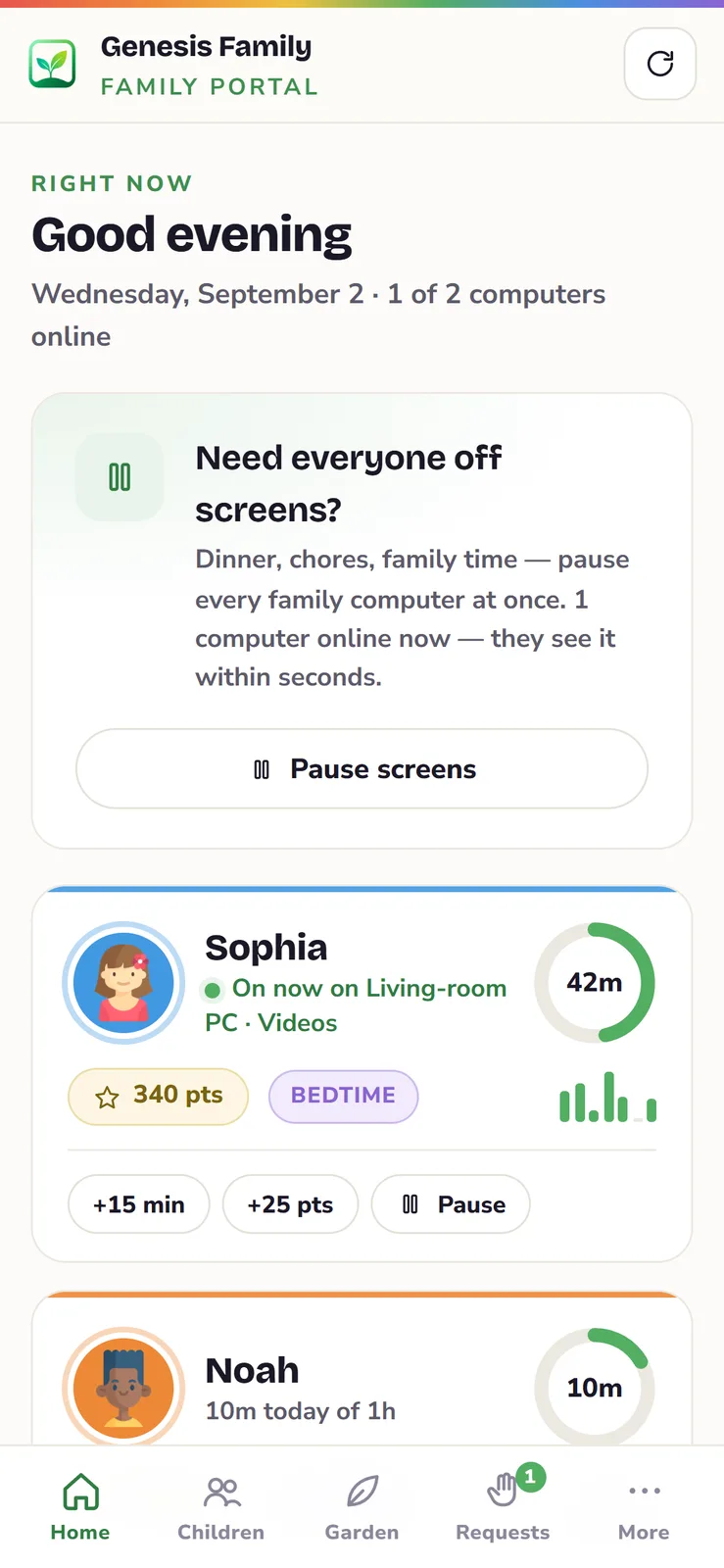
Open family.genesisdesktop.ca on your phone or tablet and add it to your home screen — it becomes the Genesis Family app — your Family Portal on the home screen. No app store, no account to create, no extra cost. See who's on and what they're doing right now, pause every screen at dinner or just one child, say yes to a website your child asked for, add fifteen minutes or a few points, and set limits and bedtimes for school nights and weekends. Everything reaches the computers in seconds.
Books, music, games and creativity work with no connection at all.
No advertising, no tracking, no in-app purchases. Ever.
Built-in narration reads books, Bible passages and your child's own stories.
New books, games and content packs arrive with free updates.